7 Best Generative AI Courses for Teachers in 2026
By Samuel G · · 10 min read
If you are new to generative AI, start with Microsoft Learn's free "AI for educators" path or Vanderbilt's short course for teachers and parents. If you need a certificate for professional development credit, look at Google's "Generative AI for Educators with Gemini" or Vanderbilt's full Specialization. If you want a route built around your own teaching goal, Upskili, the platform that publishes this guide, is an option.
Quick comparison
| Course | Provider | Best for | Level | Duration | Certificate | Cost |
|---|---|---|---|---|---|---|
| Generative AI for Kids, Parents, and Teachers | Vanderbilt University | Teachers working with younger children | Not stated | 6 hours | Shareable certificate | Not stated |
| AI for educators | Microsoft Learn | A free, quick introduction to AI in the classroom | Beginner | Not stated | Not stated | Free |
| Microsoft Learn for Educators (MSLE) Generative AI for Teaching Bootcamp | Microsoft Learn | A structured half-day session on practical AI integration | Not stated | 6-hour session | Not stated | Free |
| Generative AI for Educators & Teachers Specialization | Vanderbilt University | A deeper dive with a shareable certificate | Beginner | 12 weeks at 2 hrs/week | Shareable certificate | Not stated |
| Generative AI for Educators with Gemini | Earning a certificate for PD credit | Not stated | Self-paced | Certificate for PD credit | Free | |
| Generative AI for Educators Specialization | IBM | Hands-on practice creating adaptive content | Beginner | 4 weeks at 7 hrs/week | Shareable certificate | Not stated |
| Personalised learning path | Upskili (publisher of this guide) | A path built around your specific teaching goal | Not stated | Not stated | Not stated | Free to approximately $20, depending on AI token/credit usage |

How we chose these courses
We picked courses that meet a working teacher's real constraints: limited time, a tight budget, and a need for things you can use on Monday morning. Here is what we looked for.
- Relevance to daily tasks: The course must address lesson planning, differentiation, quiz and rubric creation, or parent communication. A generic AI overview was not enough.
- No unnecessary prerequisites: Every course here welcomes beginners. You do not need to know how to code or have used AI tools before.
- Hands-on practice: The best options let you apply what you learn to classroom materials, not just watch videos.
- Clear cost: We favoured courses that are free or have a stated, transparent price. Where a provider does not state one, we say so.
- Recognised certificate: For teachers who need professional development credit, a shareable or PD-specific certificate matters.
The list is ordered from the most accessible starting point to the most specialised. Course details come from each provider's own page, checked on the dates given. We did not take the courses ourselves.
The 7 best generative AI courses for teachers, one by one
1. Generative AI for Kids, Parents, and Teachers (Vanderbilt University)
Best for: Primary and elementary teachers who want to explore AI alongside their students.
This is a short, four-module course designed to be done with kids. It covers multimodal prompting with photos, brainstorming, and inventing games. It is less about teacher admin and more about guided discovery with a child.
What you'll learn:
- How to guide kids in using generative AI for creative activities
- Multimodal prompting with images
- Brainstorming and game invention with AI
- How to talk about what AI can and cannot do
Worth knowing: The focus is on joint parent-teacher-child activities. If you are looking for tools to cut your own planning or marking time, a different course on this list will fit better.
Cost and certificate: Check the provider's current pricing. A shareable certificate is available.
2. AI for educators (Microsoft Learn)
Best for: Any K-12 or higher education teacher who wants a free, no-fuss introduction.
This four-module learning path covers what a teacher needs to get oriented: a short history of AI, how large language models work, prompt engineering, responsible use, and a tour of AI-powered tools in Microsoft Edge, Word, PowerPoint, and Minecraft.
What you'll learn:
- A brief history of AI and how large language models work
- The basics of generative AI and prompt engineering
- Responsible use of AI in a class setting
- How to use AI features in Microsoft tools you may already have
Worth knowing: The examples lean on the Microsoft ecosystem. If your school uses Google Workspace, the concepts still apply but the tool walkthroughs will be less directly useful.
Cost and certificate: Free. Certificate information is not stated on the provider's page.
3. Upskili: a personalised path for your goal
Best for: A teacher who has a specific aim, like cutting marking time or planning a unit, and wants a path built around that aim rather than a fixed syllabus.
Upskili, the platform that publishes this guide, does not give you a pre-written course. You state your goal; it works out the skills you need and teaches them in order, measuring progress by what you can demonstrate. It adapts as you learn.
Here is the path Upskili generated for the goal "use AI to plan lessons and cut marking time":
Use AI to Plan Lessons and Cut Marking Time (You will be able to use AI tools to draft lesson plans and mark student work faster, while keeping quality and fairness in check.)
- AI as Your Teaching Assistant: You can use AI to generate lesson plans and marking feedback, and you know how to review and refine its output.
- What AI Can and Can't Do for Teachers
- Write a Clear Prompt for a Lesson Plan
- Generate and Improve a Lesson Plan
Every learner's path differs. This is an example, not a promise of what you will see.
What you'll learn:
- Skills mapped directly to your stated teaching goal
- How to prompt, review, and refine AI output for your classroom context
- A sequence that adapts to your starting level and progress
Worth knowing: This is not a fixed course with a set syllabus. The experience depends on the goal you set and the time you put in.
Cost and certificate: Free to approximately $20, depending on AI token/credit usage. Certificate is not stated.
4. Microsoft Learn for Educators (MSLE) Generative AI for Teaching Bootcamp (Microsoft Learn)
Best for: A teacher or faculty member who wants a structured, half-day session they can block out and finish.
This 6-hour bootcamp is designed for K-12 and higher-education educators. It walks through the benefits of generative AI and Copilot in education, then gets practical: creating a syllabus, lesson plans, quizzes, assignments, and grading rubrics with AI tools.
What you'll learn:
- The benefits of generative AI and Copilot in education
- How to integrate AI tools into your teaching practices
- Creating a syllabus, lesson plans, and quizzes with AI
- Drafting assignments and grading rubrics
Worth knowing: It is a live or scheduled session, not on-demand. Check the current format and availability on the provider's page before you plan your time.
Cost and certificate: Free. Certificate information is not stated.
5. Generative AI for Educators with Gemini (Google)
Best for: A teacher who wants a recognised certificate to submit for professional development credit.
Developed by Google AI experts, this self-paced course covers foundational AI concepts and hands-on use of Gemini and NotebookLM. The focus is on saving time on everyday tasks, personalising instruction, and enhancing lessons.
What you'll learn:
- Foundational AI concepts
- How to use Gemini and NotebookLM for teaching tasks
- Ways to save time on admin and lesson preparation
- Techniques to personalise instruction and enhance activities
Worth knowing: The PD credit depends on your district and state requirements. Confirm with your school office that they will accept it before you count on it.
Cost and certificate: Free. A certificate is provided which you can present to your district for PD credit, subject to their requirements.
6. Generative AI for Educators & Teachers Specialization (Vanderbilt University)
Best for: A teacher who wants a deeper, four-course series with a shareable certificate.
This specialization focuses on ChatGPT and GPT Vision. Across four courses, you learn techniques for creating personalised learning experiences: customised lesson plans, interactive educational games, and on-the-fly quizzes.
What you'll learn:
- Using ChatGPT and GPT Vision in education
- Techniques for creating personalised learning experiences
- Building customised lesson plans
- Designing interactive educational games and on-the-fly quizzes
Worth knowing: At 12 weeks (2 hours a week), this is a longer commitment than a single course. It is best suited to a school holiday or a term when you can protect that time.
Cost and certificate: Check the provider's current pricing. A shareable certificate is available.
7. Generative AI for Educators Specialization (IBM)
Best for: An educator or administrator who wants hands-on practice creating and evaluating adaptive content.
This three-course specialization from IBM teaches prompt engineering techniques for building personalised and adaptive learning content. It includes hands-on labs and projects, so you work with AI tools rather than just reading about them.
What you'll learn:
- How to use generative AI tools for educational content
- Prompt engineering techniques for personalised learning
- Creating and evaluating adaptive learning content
- Hands-on application through labs and projects
Worth knowing: The 4-week estimate assumes 7 hours a week. That pace can be hard to sustain during a full teaching term. You may need to spread it over a longer period.
Cost and certificate: Check the provider's current pricing. A shareable certificate is available.
Which course should you start with?
- New to generative AI: Start with entry 2, Microsoft Learn's "AI for educators". It is free, quick, and gives you a broad orientation.
- Short on time: Entry 4, the MSLE bootcamp, or entry 1, Vanderbilt's short course, both clock in around 6 hours.
- Need a certificate for PD credit: Entry 5, Google's "Generative AI for Educators with Gemini", is built for this. Entry 6, the Vanderbilt Specialization, also offers a shareable certificate.
- Want to practise on your own work: Entry 7, the IBM Specialization, has hands-on labs. Entry 6, the Vanderbilt Specialization, is built around creating materials you can adapt.
- Want a path built around your specific goal: Entry 3, Upskili, starts from the goal you name and builds a personalised route.
A learning path for teachers
You do not need to pick just one. A sensible sequence might look like this.
- Foundations: Start with a free, beginner-level course to understand what generative AI is and how to use it responsibly. Entry 2 (Microsoft Learn) works well here.
- Hands-on practice with your own tasks: Next, apply the basics to real classroom work. Entry 4 (the MSLE bootcamp) or entry 7 (IBM) will push you to create lesson plans, quizzes, and rubrics with AI.
- Specialisation: If you want to go deeper into personalised learning or a specific tool like ChatGPT or Gemini, choose entry 5 (Google) or entry 6 (Vanderbilt Specialization).
- A personalised route: At any point, you can use Upskili (entry 3) to build a path around a goal like "differentiate reading materials for three levels" or "cut my marking time in half."
Where generative AI fits in a teacher's work
Lesson planning and resource creation You can use a generative AI tool to draft a unit outline, generate starter activities, or adapt an existing resource for a different year group. The AI output is a first draft. You check it for curriculum alignment, factual accuracy, and suitability for your class. AI output must be reviewed by a qualified teacher and does not replace professional judgement.
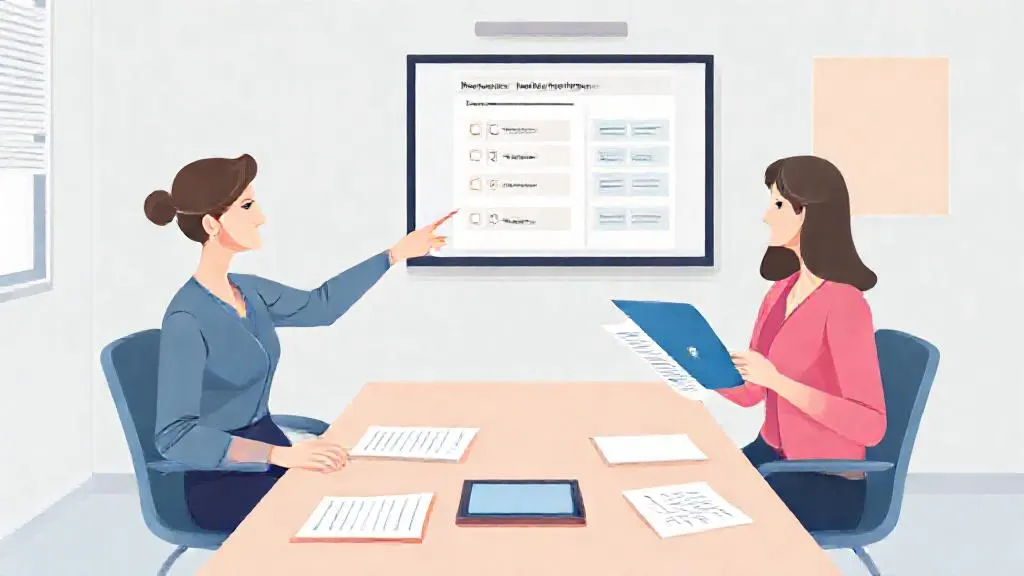
For example, suppose you need a week of differentiated science lessons on ecosystems. You could prompt an AI tool for a lesson outline, then ask for three versions of a reading passage at different reading levels, followed by a short quiz. You would review each output for scientific accuracy and age-appropriateness before using it.
Assessment and feedback AI can generate a bank of multiple-choice questions, suggest rubric criteria, or draft comment stems for common errors. These are starting points. You are still the assessor. The final judgement of a student's work and the feedback they receive must come from you.
Differentiation and personalisation Generating three levels of the same task, or rewriting a text for a struggling reader, is one of the more useful applications. You set the parameters and check the result. The AI does not know your students; you do.
Communication and admin Drafting a parent email, a field trip permission slip, or a weekly newsletter can be faster with AI. Review the tone and details carefully before sending. Anything that goes home under your name represents you and your school.
Start with your own goal
The quickest way to waste time is to pick a course at random. If you know exactly what you want to achieve, a personalised path like the one from Upskili can build a route around your teaching goal. If you would rather follow a set syllabus, pick the course from the list above that matches your situation and block out the first hour this week.
Frequently asked questions
Will AI replace teachers?
No. Generative AI can draft materials and suggest activities, but it cannot build relationships, manage a classroom, or make professional judgements about a student's needs. It is a tool that automates parts of lesson prep and admin. The parts of teaching that matter most still need a person.
Which course gives a certificate my school district will accept?
Google's Generative AI for Educators with Gemini provides a certificate you can present for professional development credit, but acceptance depends on your district and state requirements. Always check with your school or district office before enrolling if PD credit is your goal.
Are these courses really free?
Several are free: Microsoft Learn's AI for educators and the MSLE bootcamp, and Google's course. Coursera specializations (Vanderbilt, IBM) are free to audit, but you pay for the certificate. Upskili is free to approximately $20, depending on your usage of AI tokens.
I teach primary/elementary. Are these courses relevant?
Yes. Vanderbilt's 'Generative AI for Kids, Parents, and Teachers' is built for adults working with younger children. The other courses cover principles that apply across K-12, though you will need to adapt secondary-focused examples for your own age group.
How much time do I need to complete a course?
It ranges from a 6-hour bootcamp (Microsoft MSLE) to a specialization spread over 12 weeks at 2 hours a week (Vanderbilt). Most are self-paced, so you can fit them around a teaching schedule.
Can I use what I learn right away in my classroom?
Yes. Courses like Microsoft's and Google's focus on immediate, practical tasks: writing a prompt for a lesson plan, generating a quiz, or creating a rubric. You will likely have a draft to adapt for your next class by the end of the first module.
Do these courses teach me how to spot AI mistakes?
Most cover responsible use, which includes checking for bias and inaccuracy. However, the skill of reviewing AI output for subject-matter errors and age-appropriateness is something you develop with practice on your own materials. The courses give you a framework; your professional judgement does the rest.
What is the difference between a specialisation and a single course?
A specialisation is a series of related courses that build on each other, leading to a deeper skill set and a capstone project. A single course is shorter and focuses on one set of outcomes. For a busy teacher, a single course is often the faster way to get started.
Turn this into a plan for you
Tell Upskili what you want to be able to do. It works out the skills involved, starts from what you already know, and teaches them in order, adjusting as you go.
Start with your goalSources
- Generative AI for Kids, Parents, and Teachers, Coursera (Vanderbilt University)
- AI for educators, Microsoft Learn
- Microsoft Learn for Educators (MSLE) Generative AI for Teaching Bootcamp, Microsoft Learn
- Generative AI for Educators & Teachers Specialization, Coursera (Vanderbilt University)
- Generative AI for Educators with Gemini, Google