7 Best Generative AI Courses for Graphic Designers in 2026
By Samuel G · · 10 min read
If you are new to generative AI and want to understand how it fits into concepting, image editing, and asset production, start with a beginner course that requires no coding. If you already use AI tools and want to build custom workflows for your design software, choose a hands-on, intermediate course. For a recognised certificate, look at the university-backed programmes.
Quick comparison
| Course | Provider | Best for | Level | Duration | Certificate | Cost |
|---|---|---|---|---|---|---|
| Generative AI for Everyone | DeepLearning.AI | Understanding AI's impact on design work | Beginner | 5h1m | Earn a certificate with PRO | Check the provider's current pricing. |
| Personalised learning path | Upskili (publisher of this guide) | A path built around your own design goal | Not stated | Not stated | Not stated | Free to approximately $20, depending on AI token/credit usage |
| Free Online Certificate in AI and Career Empowerment | Robert H. Smith School of Business, University of Maryland | A free, career-focused AI overview | Not stated | Not stated | Free certificate | Free |
| Explore the business value of generative AI solutions | Microsoft Learn | Identifying AI opportunities in design projects | Not stated | Self-paced online | Not stated | Check the provider's current pricing. |
| Applied Generative AI Engineering | Udacity | Building and deploying custom AI design tools | Intermediate | 56 hours | Program Certificates | Subscription · Monthly |
| Applied Generative AI and Agentic AI | Johns Hopkins University | A structured, technical certificate programme | Not stated | 16 Weeks Online | Certificate of Completion; 11 CEUs | Check the provider's current pricing. |
| Advanced: Generative AI for Developers | Google Cloud (Google Skills) | Developers building AI tools for designers | Advanced | Not stated | Not stated | Check the provider's current pricing. |
How we chose these courses
We focused on what a graphic designer does in a normal week: concepting, retouching, producing asset variations, and preparing client presentations. These criteria shaped the list.
- Relevance to daily design tasks. The course material must connect to concept generation, image editing, compositing, or asset production. A pure data science course would not make the list.
- No unnecessary prerequisites. A working designer should be able to start without a deep coding or machine learning background, unless the course is explicitly for a technical specialisation.
- Hands-on practice. We looked for courses that let you apply generative AI to real design files and workflows, not just watch lectures.
- Clear cost and certificate. We prioritised courses with transparent pricing and credentials that are recognised in creative and corporate settings.
- Ordered from most accessible to most specialised. The list moves from a beginner-friendly introduction through to advanced, developer-level training.
Course details come from each provider's own page, checked on 2026-10-04. We did not take the courses ourselves.
The 7 best courses for graphic designers, one by one
1. Generative AI for Everyone (DeepLearning.AI)
Best for: Designers with no prior AI knowledge who want a clear, quick explanation of how the technology works and what it means for their work.
This is a beginner course taught by Andrew Ng. It explains how generative AI works, the tools available, and its real-world impact on business and society. It requires no coding, making it a fast on-ramp for a designer who needs to understand the landscape before choosing a tool.
What you'll learn:
- How generative AI actually works, in plain terms
- Common tools and their real-world uses
- The broader impact of generative AI on business and society
Worth knowing: This is a conceptual course. It will not teach you how to integrate an AI tool into your Photoshop or Figma workflow directly, so you will need to apply the concepts yourself afterwards.
Cost and certificate: Check the provider's current pricing. A certificate is available with a PRO subscription.
2. Upskili: a personalised path for your goal
Best for: A designer who wants a learning plan built specifically around their own goal, like using generative AI to speed up their design workflow, rather than following a fixed syllabus.
Upskili, the platform that publishes this guide, is not a traditional pre-written course. You state your goal—for example, using generative AI to speed up your graphic design workflow—and it builds a personalised, AI-powered learning path based on your current skills and needs. It adapts as you learn, measuring progress by what you can demonstrate. It costs free to approximately $20, depending on AI token/credit usage.
What you'll learn:
- The specific skills required to meet your stated design goal
- A sequence of topics adapted to your background and pace
- Practical application measured by demonstrated capability
Worth knowing: This is a dynamic, personalised path, not a fixed curriculum with a set syllabus you can review in advance. The experience depends on the goal you define.
Cost and certificate: Free to approximately $20, depending on AI token/credit usage. Certificate not stated.
You can start a personalised path for your own design goal.
3. Free Online Certificate in Artificial Intelligence and Career Empowerment (Robert H. Smith School of Business, University of Maryland)
Best for: Early to mid-career designers who want a free, university-backed certificate that covers AI's business impact and career skills.
This free online programme from a respected business school gives an overview of AI and how it transforms different business functions. It also covers career empowerment topics like job searching and consulting, which can be useful for freelance designers or those moving into a design director role.
What you'll learn:
- An overview of Artificial Intelligence
- How AI transforms business functional areas
- Career empowerment skills such as job searching and consulting
Worth knowing: The content is framed from a business, not a design-tool, perspective. You will learn how AI changes business functions, but you will not get hands-on practice with image generation or editing tools.
Cost and certificate: Free. The course provides a free certificate in "Artificial Intelligence and Career Empowerment" from the Robert H. Smith School of Business at the University of Maryland.
4. Explore the business value of generative AI solutions (Microsoft Learn)
Best for: Design leads or studio managers who need to identify high-value AI opportunities and assess readiness within a creative team.
This self-paced learning path from Microsoft is built for business leaders. It covers generative AI concepts, Microsoft Copilot, Azure AI, and intelligent agents. For a designer moving into a leadership role, it provides a framework for evaluating where AI can realistically improve a creative workflow.
What you'll learn:
- How to identify high-value generative AI opportunities
- Assessing organisational readiness for AI
- Implementing responsible AI solutions
- Generative AI concepts and Microsoft Copilot
Worth knowing: This path is about strategic evaluation, not hands-on design execution. It is ideal for planning AI adoption across a team, but it will not help you retouch an image or generate a moodboard directly.
Cost and certificate: Check the provider's current pricing. Certificate not stated.
5. Applied Generative AI Engineering (Udacity)
Best for: A technically inclined designer who wants to build and deploy custom generative AI tools, such as a private model fine-tuned on a brand's visual library.
This is an intermediate nanodegree programme. It moves beyond using existing AI tools and into building solutions, covering model selection, prompt engineering, RAG systems, vector databases, and multimodal applications. It is aimed at developers, so a designer taking this course should be comfortable with a technical workflow.
What you'll learn:
- Building and deploying generative AI solutions
- Model selection and prompt engineering
- PEFT and RAG systems
- Working with vector databases and multimodal applications
Worth knowing: This is a developer-focused course with a significant time commitment of 56 hours. It is the right choice if you intend to build AI tools, not just use them.
Cost and certificate: Subscription · Monthly. A Program Certificate is provided upon completion.
6. Applied Generative AI and Agentic AI (Johns Hopkins University)
Best for: A designer seeking a formal, university-issued certificate in a structured, 16-week online programme to support a career move into a senior or specialised AI role.
This programme from Johns Hopkins University covers LLMs, RAG, GenAI, prompt engineering, fine-tuning, agentic workflows, and responsible AI through hands-on projects. It is designed for technology and data professionals and provides 11 CEUs.
What you'll learn:
- LLMs, RAG, and generative AI techniques
- Prompt engineering and fine-tuning
- Agentic workflows
- Responsible AI practices through hands-on projects
Worth knowing: This is a serious time investment and is designed for a technical audience. A designer should have a solid grasp of technical concepts before enrolling to get the full value.
Cost and certificate: Check the provider's current pricing. A Certificate of Completion from Johns Hopkins University and 11 CEUs are provided.
7. Advanced: Generative AI for Developers (Google Cloud)
Best for: A developer working closely with a design team who needs to understand the technical architecture behind generative AI features that designers will use.
This is an advanced technical learning path with 12 activities, built for App Developers, Machine Learning Engineers, and Data Scientists. It has a recommended prerequisite of the Introduction to Generative AI learning path. A typical graphic designer will find this course beyond their needs, but it is relevant for a technical partner building custom tools for a design department.
What you'll learn:
- A technical generative AI learning path with 12 activities
- Skills built for developers and machine learning engineers
Worth knowing: This is the most technical course on the list and explicitly requires a prior learning path. It is not suitable for a designer who simply wants to use AI tools more effectively.
Cost and certificate: Check the provider's current pricing. Certificate not stated.
Which course should you start with?
Your choice depends on your current comfort with AI and your immediate goal.
- New to generative AI. Start with entry 1 (Generative AI for Everyone) for a quick, code-free introduction. Alternatively, entry 2 (Upskili) can build a path that starts from your current level and targets your specific design goal.
- Short on time. Entry 1 (Generative AI for Everyone) requires just over five hours. Entry 4 (Microsoft Learn) is also self-paced and lets you focus on strategic evaluation without a long commitment.
- Need a recognised certificate. Entry 6 (Johns Hopkins) offers a university Certificate of Completion and CEUs. Entry 3 (University of Maryland) provides a free certificate from a named business school, which is a strong, no-cost credential for a CV.
- Want to practise on your own design work. Entry 2 (Upskili) is built around your own goal and adapts as you learn. Entry 5 (Udacity) is a hands-on engineering programme where you will build working AI solutions.
A learning path for graphic designers
You do not need to take every course. Here is one way to combine them into a logical progression.
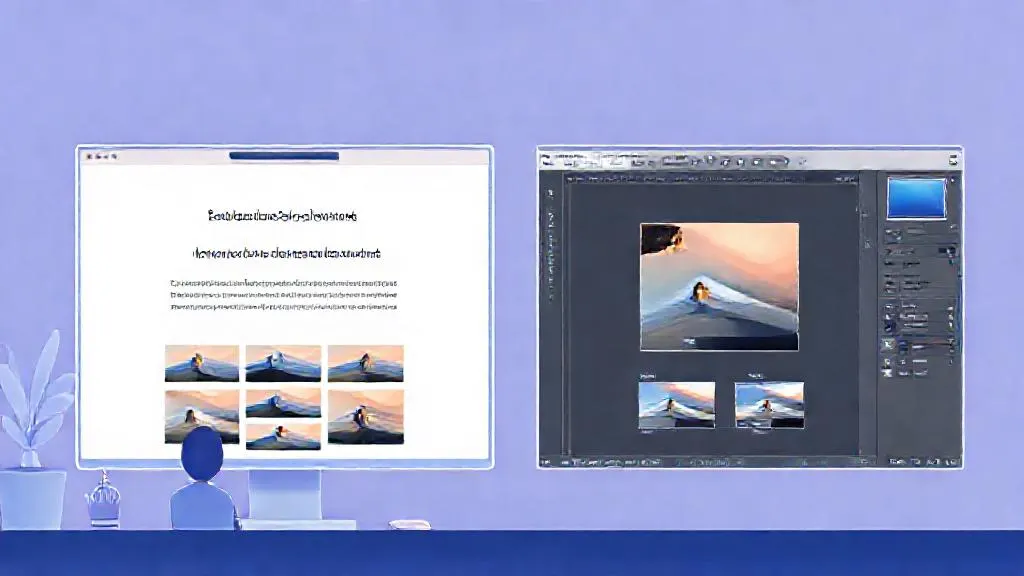
Phase 1 – Foundations. Begin with entry 1 (Generative AI for Everyone) or entry 3 (the free UMD certificate). Both provide a conceptual overview of AI without requiring technical skills. This phase is about building a mental model of what generative AI can and cannot do.
Phase 2 – Hands-on practice with your own tasks. Next, apply the concepts to your daily work. Entry 2 (Upskili) creates a personalised path around your goal, such as generating social media ad variations. Entry 4 (Microsoft Learn) helps you evaluate AI opportunities within your team's broader workflow.
Phase 3 – Specialisation. If you need advanced, technical skills, move to entry 5 (Udacity) to learn how to build and deploy custom models. For a formal, university-backed credential that carries weight in corporate environments, entry 6 (Johns Hopkins) is the most structured option.
Where generative AI fits in a graphic designer's work
Generative AI is becoming a practical tool across several core design tasks. Its output, however, must always be reviewed by a professional designer for brand consistency, legal use, and print requirements. It cannot replace your judgement or sign-off.

Concepting and moodboards. AI can generate dozens of visual directions from a text prompt in seconds. For example, you might prompt for "a minimalist, warm-toned wellness brand identity with organic shapes" to kickstart a client pitch. You then curate the best outputs and refine them into a coherent moodboard.
Image editing and compositing. Tasks like background removal, object deletion, and image extension are now heavily AI-assisted in tools like Photoshop. A designer might use generative fill to extend a product shot into a new aspect ratio for a billboard, then manually retouch the result to ensure lighting and texture are consistent.
Asset production at scale. Creating variations of a master design for different platforms is a common bottleneck. Suppose you have a single hero image for a campaign. You can use generative AI to produce versions sized and cropped for Instagram Stories, a LinkedIn banner, and a newsletter header, with different background elements for each, all from the same source file.
Copy and layout. Designers frequently need placeholder or final copy to flow into their layouts. Generative AI can draft taglines, product descriptions, or social captions directly within a design file, allowing you to adjust the visual hierarchy and typography with real text, rather than waiting for copy from a writer.
How to decide where to start
Match your biggest daily bottleneck to a course. If you spend too long on initial concepts, start with a beginner course to learn how AI can accelerate idea generation. If you are already comfortable with AI tools and need to build custom assets, go straight to an intermediate, hands-on option.
Consider your time. A five-hour course gives you a working vocabulary immediately. A 16-week programme builds a deep specialisation that can change your career trajectory. Check if a certificate matters for your next role. If you are a freelancer, hands-on skill may matter more than a credential. If you are targeting a corporate design director position, a university certificate can be a differentiator.
If a fixed syllabus does not match your specific situation, Upskili offers a personalised, AI-powered learning option that starts from your own goal. You can build a path around using generative AI to speed up your graphic design workflow.
Frequently asked questions
Will AI replace graphic designers?
AI is changing which tasks a designer does, not eliminating the role. It can speed up concept generation, image editing, and asset variation, but it cannot replace a designer's judgement on brand strategy, typography, composition, or client communication. The designer's role shifts toward direction, curation, and refinement of AI output.
Do I need to know how to code to take a generative AI course?
Not for most courses aimed at designers. Several beginner and intermediate courses require no coding at all and focus on using AI tools and understanding their capabilities. More technical courses, like those for developers, will require coding but are clearly marked as advanced.
Can I use AI-generated images in client work legally?
It depends on the tool's terms of service, the training data used, and your jurisdiction. Currently, copyright protection for purely AI-generated images is uncertain in many regions. You should review the licensing terms of the specific AI tool you use and consult a legal professional for client-facing work, as AI output does not replace legal advice.
Which is better for a designer: a short course or a full certificate programme?
A short course is better if you want to quickly understand the tools and apply them to a current project. A longer certificate programme is more useful if you are looking to specialise in an AI-driven design role or need a formal credential for career progression in a larger organisation.
How can I practice generative AI on my own design files?
Look for courses that include hands-on projects or encourage you to use your own work as practice material. A personalised learning path can also be built around your specific goal, letting you apply new skills directly to your current design files and software like Photoshop or Illustrator.
Are free AI courses worth it for professional designers?
Yes, a free course can provide a solid conceptual foundation and help you understand the landscape of AI tools without a financial commitment. However, they may lack the depth or hands-on practice with design-specific workflows that a paid, intermediate course offers.
What is the difference between a course on generative AI and one on AI for business?
A generative AI course focuses on creating new content—images, text, code—with AI models. A course on AI for business is broader, covering how AI transforms business functions, strategy, and operations. For a hands-on designer, a generative AI course is more directly applicable to daily creative work.
Turn this into a plan for you
Tell Upskili what you want to be able to do. It works out the skills involved, starts from what you already know, and teaches them in order, adjusting as you go.
Start with your goalSources
- Advanced: Generative AI for Developers, Google Cloud
- Applied Generative AI and Agentic AI, Johns Hopkins University
- Free Online Certificate in Artificial Intelligence and Career Empowerment, Robert H. Smith School of Business, University of Maryland
- Generative AI for Everyone, DeepLearning.AI
- Applied Generative AI Engineering, Udacity
- Explore the business value of generative AI solutions, Microsoft Learn